# How To Create Headings With Different Levels in Pages

<p class="callout info">Difficulty - Medium</p>

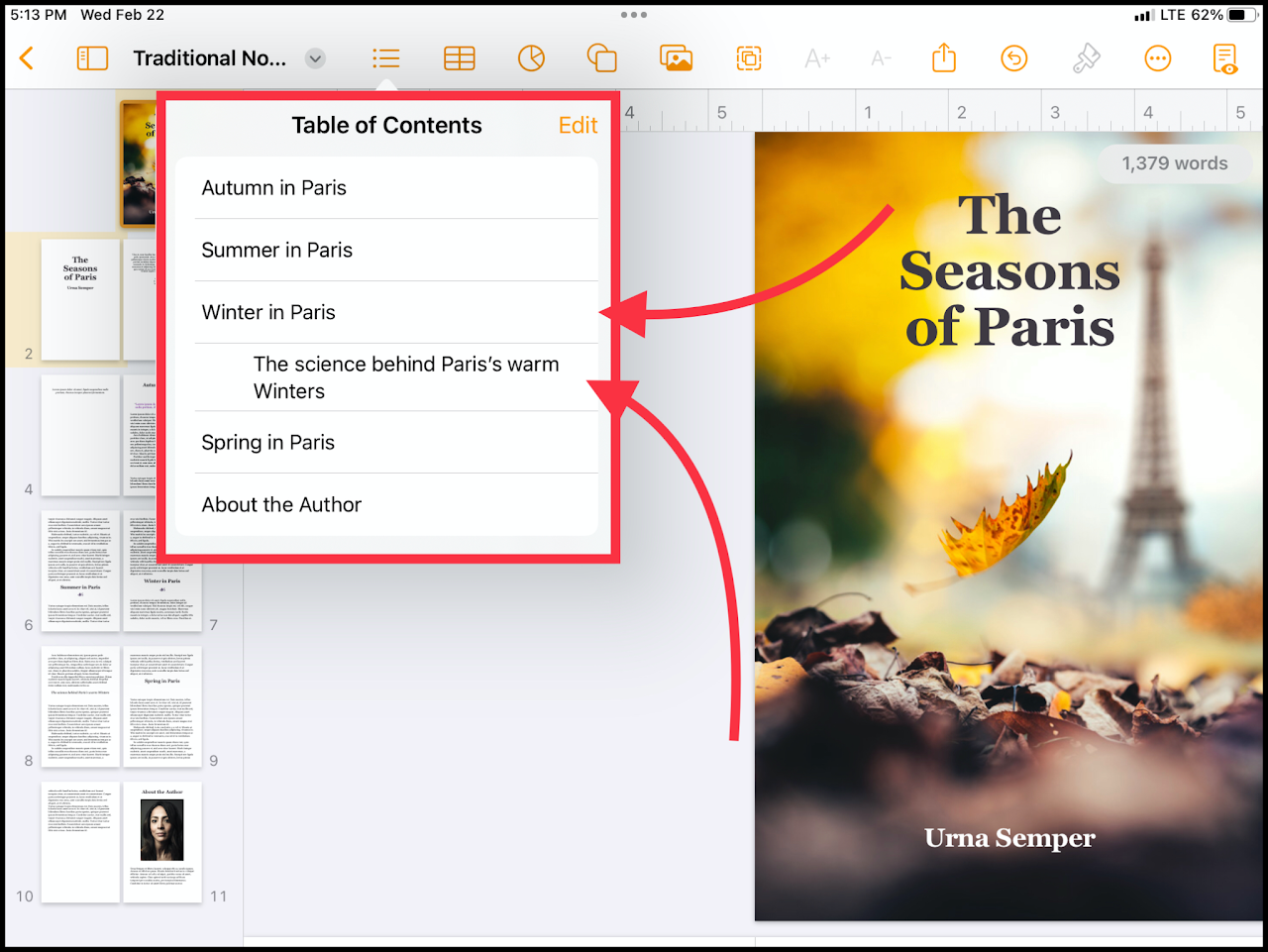
Creating different levels of headings (indentations) can allow easier navigation of your document in Pages.

#### **The end-result**:

[![media.png](https://wiki.pwbstem.club/uploads/images/gallery/2024-01/scaled-1680-/sP0media.png)](https://wiki.pwbstem.club/uploads/images/gallery/2024-01/sP0media.png)
### Step 1 - Highlight The Text

Select the text that will be used as the heading in the table of contents.

<div class="oKdM2c ZZyype" id="bkmrk--1"><div class="hJDwNd-AhqUyc-uQSCkd Ft7HRd-AhqUyc-uQSCkd jXK9ad D2fZ2 zu5uec" id="bkmrk--2"><div class="jXK9ad-SmKAyb"><div class="tyJCtd baZpAe"><div class="t3iYD">![](https://lh3.googleusercontent.com/teTeBMvXWpXc1RCNSyT86FmtvfiKwd6BwN7ytihTgMGY_v9M5FQlumwikMnCMfAYRkaRqhMIh6ZAmUVRkAf08ONJk2ZZjHFzbl22gNI1V92HeqTz4d65P6e6M7LnevpT=w1280)</div></div></div></div></div>### Step 2 - Change The Paragraph Style

Using the paintbrush on the top right, you can change the paragraph style. For example, the text here is getting styled as an "Introduction". This is the correct size and will automatically add the text to the table of contents.

<p class="callout info">To prevent confusion, change the text to something unique to only headings.</p>

<p class="callout info">Sub-categories should be smaller than normal titles, but larger than standard text.</p>

### Step 3 - Add The Paragraph Style as a Heading

Select the table of contents icon and press "Edit". Tap the circle next to your font to enable the font as a heading.![](https://lh3.googleusercontent.com/HDWvTHILrnc3yvQ7LS_gAEeNb3S-yMVMklEQIJZIAuvBxg2DygdQiIrMblHtSEfLM2ljnCy64YW5BRAccjpI-RlWp2h1hY-D5lQJk2g794j20cV3KWdWQWGX0FDJsIZs6w=w1280)

### Step 5 - Change the Indentation

Select the indent icon to the right of the new enabled style.![](https://lh4.googleusercontent.com/k2XgdF8J0tW9SsHu3w8Zh8ZJfpnfzOLVTGDgRK6xukPb-zRq9U78jaRU-t8YISTUmnDQspux0huNzSluS-xOrjvo0gi0J9Kjk8AZdflUmnBHHT70m0JPOGbuNcOmp9zSlQ=w1280)

<p class="callout info">Tap once for medium indentation, or twice for high indentation.</p>