# How To Export a Document in Pages

<p class="callout info">Difficulty - Medium</p>

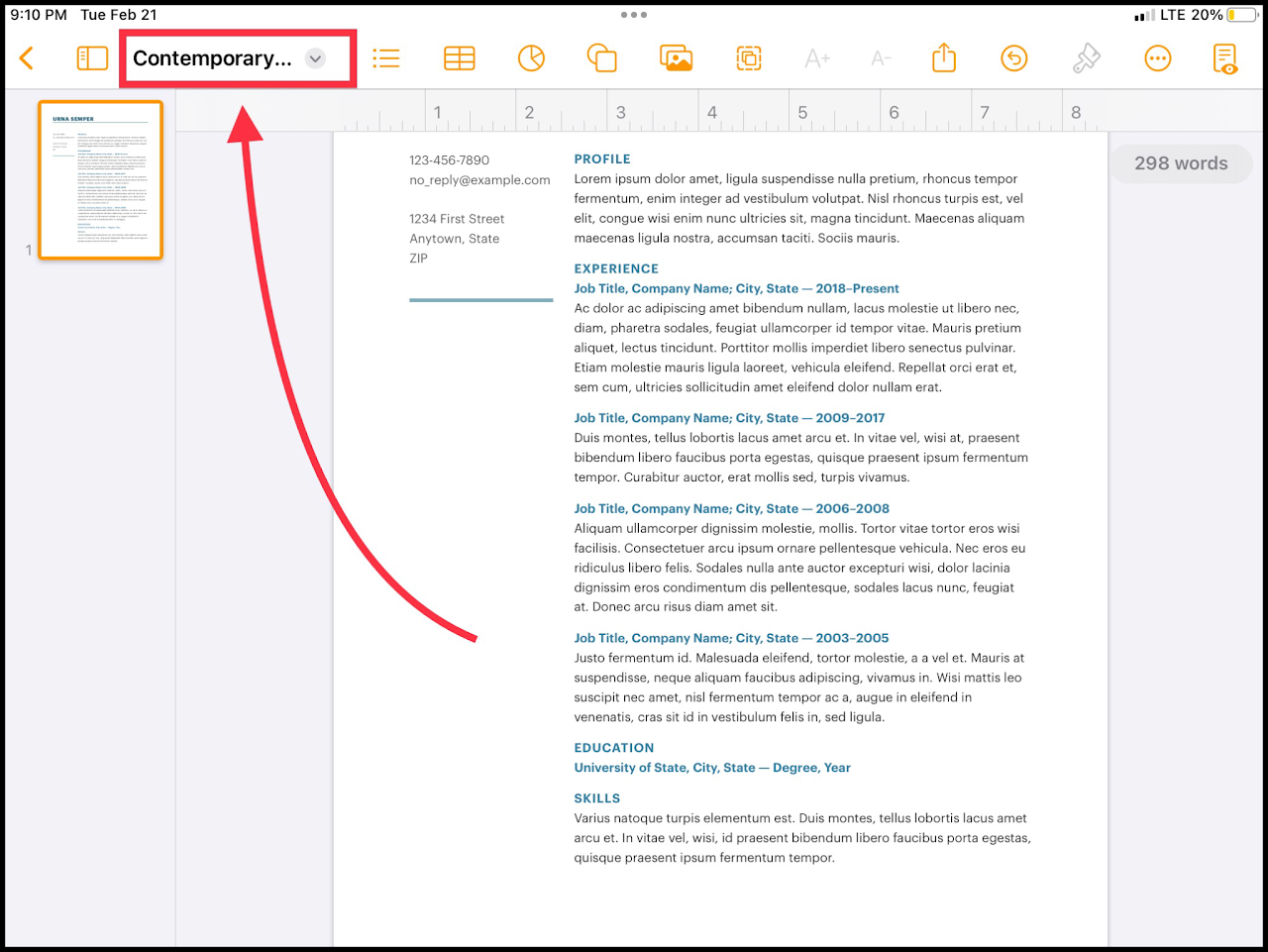
### Step 1 - Open "Document Options

Select the title of your document in the top left to reveal a drop down menu.

[![media.png](https://wiki.pwbstem.club/uploads/images/gallery/2024-01/scaled-1680-/5uvmedia.png)](https://wiki.pwbstem.club/uploads/images/gallery/2024-01/5uvmedia.png)
### Step 2 - Select "Export"

Select the "Export" option in the document options menu.

<div class="oKdM2c ZZyype" id="bkmrk--3"><div class="hJDwNd-AhqUyc-uQSCkd Ft7HRd-AhqUyc-uQSCkd jXK9ad D2fZ2 zu5uec" id="bkmrk--4"><div class="jXK9ad-SmKAyb"><div class="tyJCtd baZpAe">  
</div></div></div></div>[![media.png](https://wiki.pwbstem.club/uploads/images/gallery/2024-01/scaled-1680-/aaJmedia.png)](https://wiki.pwbstem.club/uploads/images/gallery/2024-01/aaJmedia.png)

### Step 3 - Change Export Options

Choose the file type you would like to exported document to be.

<p class="callout info">Exporting as a PDF is recommended if your document contains many images or text boxes.</p>

<div class="oKdM2c ZZyype" id="bkmrk--6"><div class="hJDwNd-AhqUyc-uQSCkd Ft7HRd-AhqUyc-uQSCkd jXK9ad D2fZ2 zu5uec" id="bkmrk--7"><div class="jXK9ad-SmKAyb"><div class="tyJCtd baZpAe"><div class="t3iYD">![](https://lh6.googleusercontent.com/_fbg8jlgp8NwTzwP2JhkmkX4FPoK1oPLAkjh7bzBRmpdbnUiHDn1a4qIqVi5Zj-XNZvmtvXxzDF614q84pK6BtN_Top9m3Bn6xnaeHuU7OIpugV3iSJm1-eMBzguuST6Jg=w1280)</div></div></div></div></div><p class="callout info">If requested specifically by your teacher, you may export as a word document, as long as you make sure the export was successful.</p>

<p class="callout info">EPUB files are for exporting as an online book.</p>

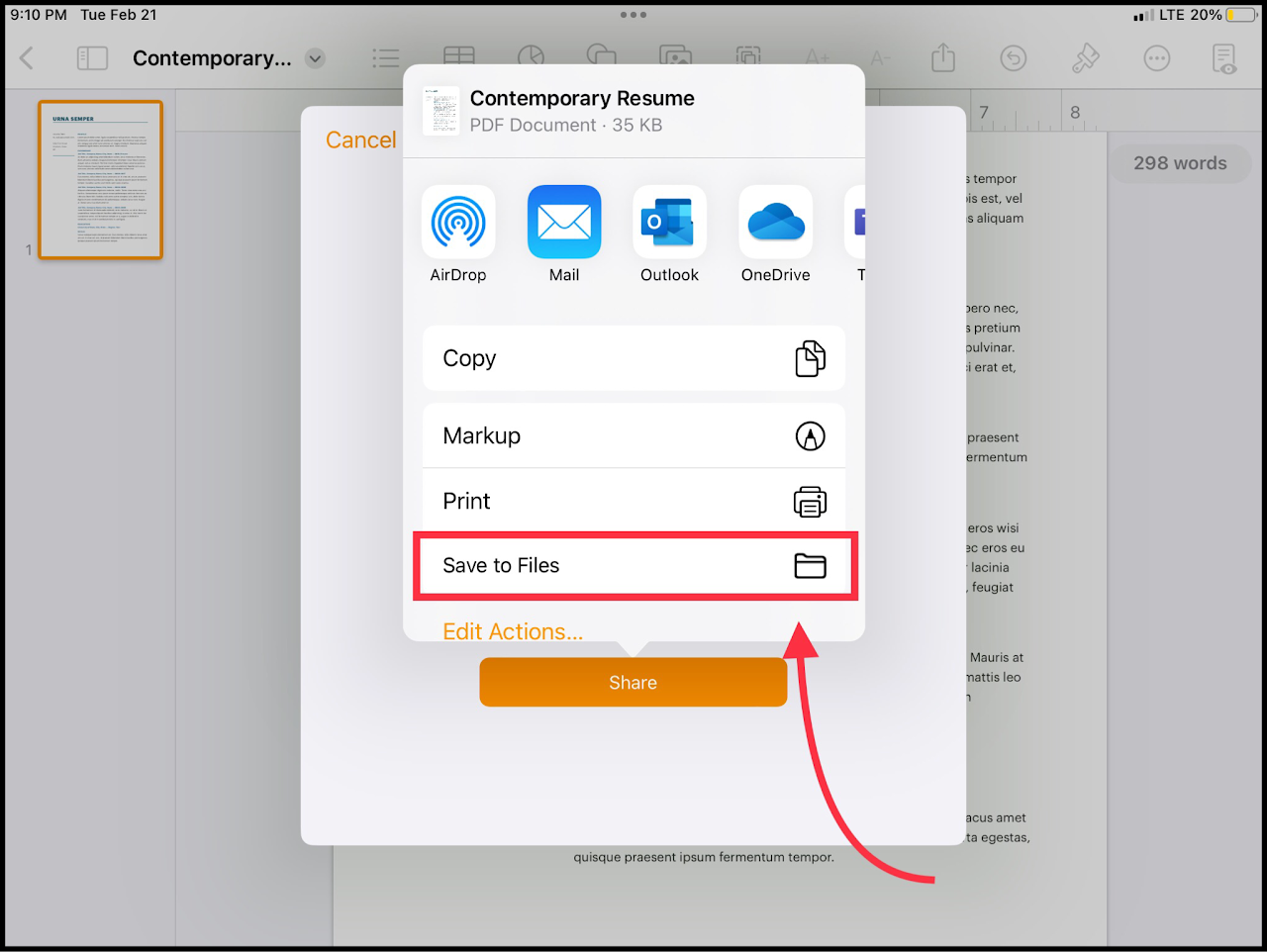
### Step 4 - Save the File

Select the "Save to Files" option to save to the iPad.

<p class="callout warning">If you reset your iPad, this file will be LOST. Select OneDrive or iCloud as an alternative.</p>

[![media.png](https://wiki.pwbstem.club/uploads/images/gallery/2024-01/scaled-1680-/fMbmedia.png)](https://wiki.pwbstem.club/uploads/images/gallery/2024-01/fMbmedia.png)