Difficulty - Easy
### Step 1 - Open the "Extras" Menu Select the three dots in the top left corner of your screen. [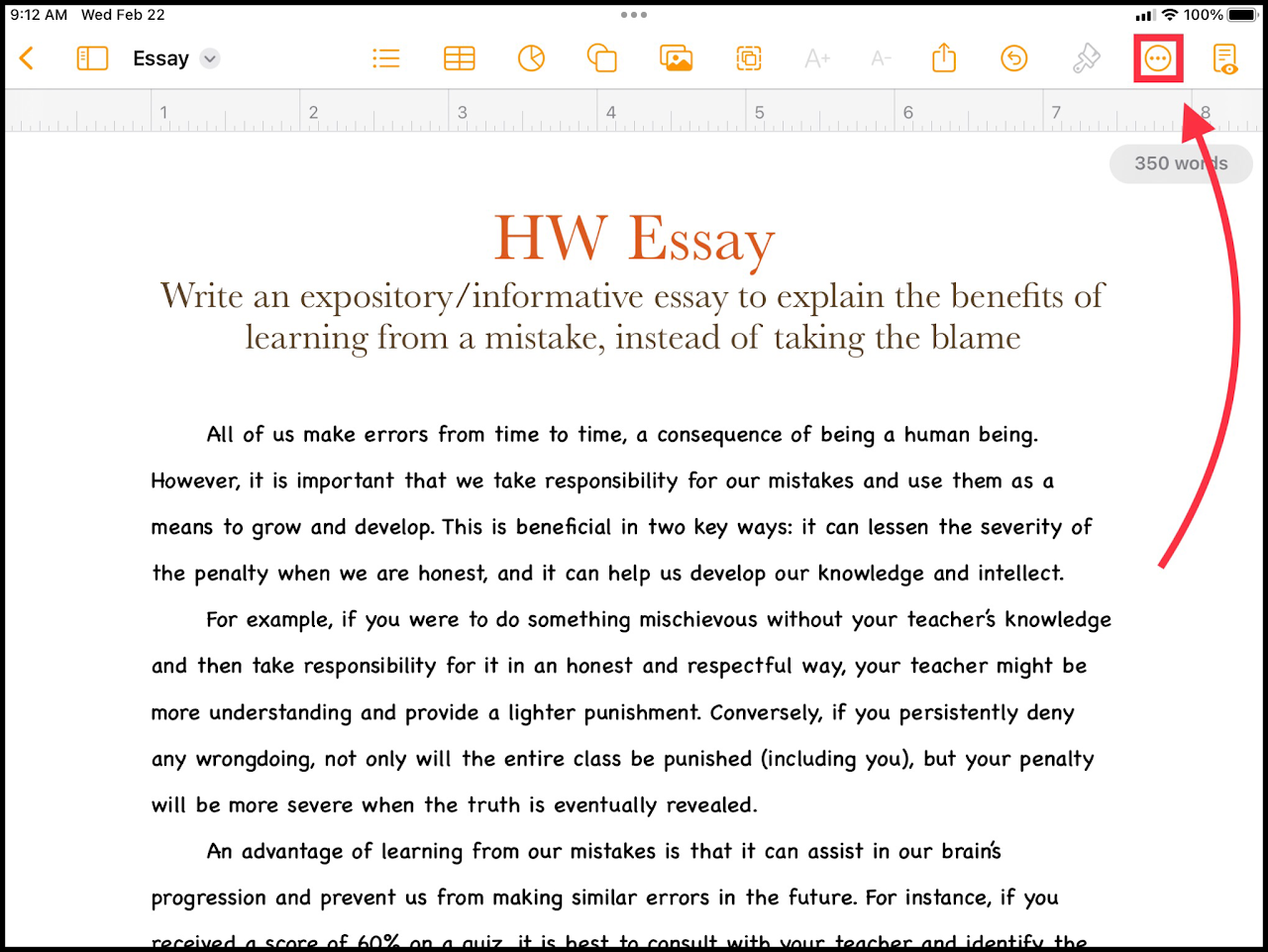](https://wiki.pwbstem.club/uploads/images/gallery/2024-01/p9Gmedia.png) ### Step 2 - Select "Find" In the "Extras" menu, select the option titled "Find". [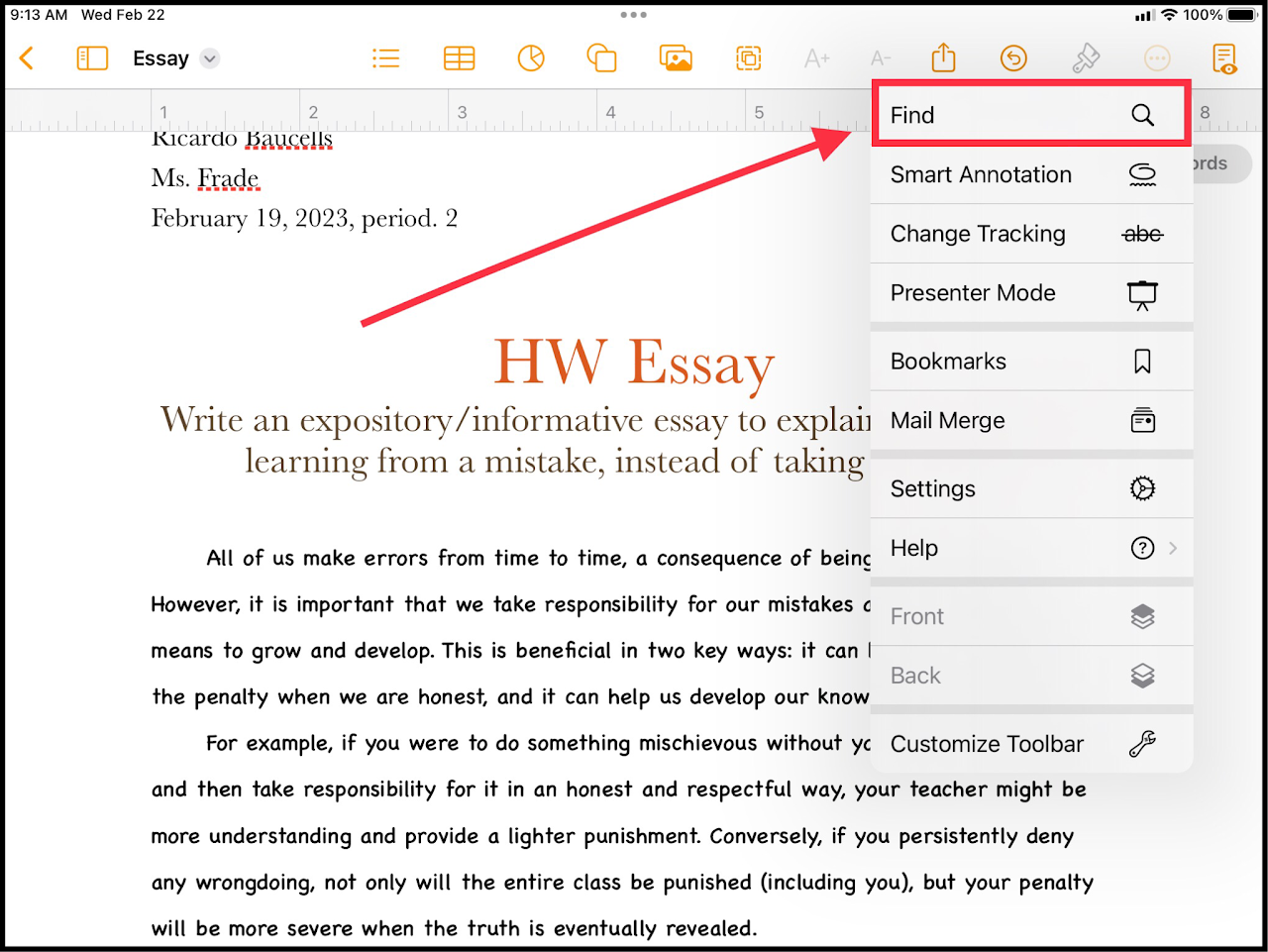](https://wiki.pwbstem.club/uploads/images/gallery/2024-01/37umedia-1.png) ### Step 3 - Find! Type in the word or characters you would like to search for. The matching items will be highlighted. [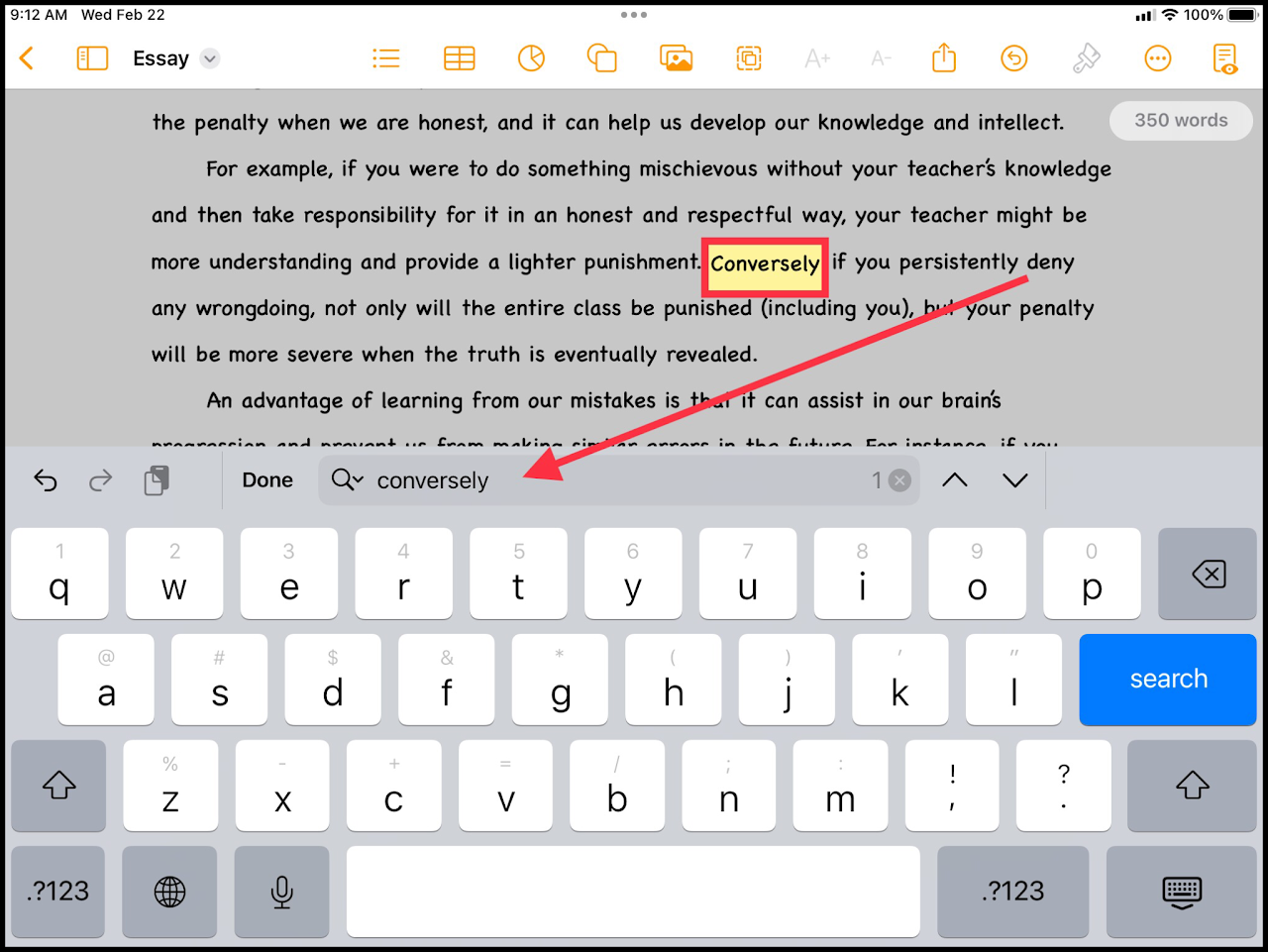](https://wiki.pwbstem.club/uploads/images/gallery/2024-01/R9Pmedia.png)This feature is AWESOME for finding repeated, boring, or unnecessary words.